

glossary
Deep Linking
A URI that drops users into a specific location within your mobile app instead of dumping them at the home screen. Think of it as a shortcut that respects the user’s intent.
Quick Definition
A URI that drops users into a specific location within your mobile app instead of dumping them at the home screen. Think of it as a shortcut that respects the user’s intent.
What is Deep Linking
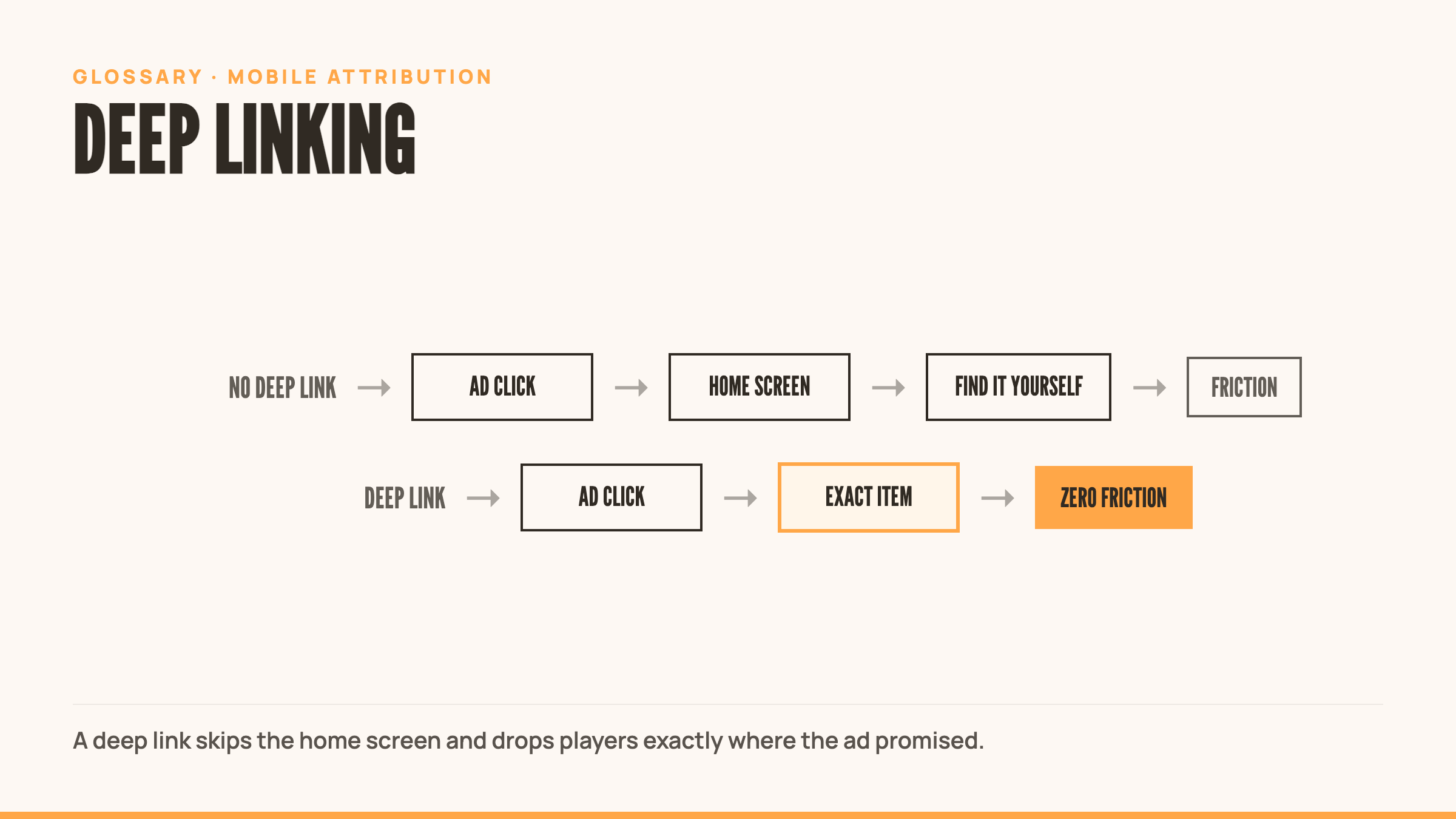
Deep linking routes users directly to specific in-app content. Click an ad for a sword upgrade pack, land on that exact pack in the shop. No navigation, no friction, no wasted taps.
Standard app links open the home screen. Deep links honor context.
The mechanism is simple. A specially formatted URL tells the OS which app to open and where to route the user inside it. When implemented correctly, users don’t notice the technology. They just get where they wanted to go.
Types of Deep Links
Direct Deep Links
The basic version. User clicks, app opens to the right place.
The catch: the app must already be installed. If not, the link breaks. User hits an error or gets dumped to a browser.
Use these when you know your audience has the app. In-app notifications, email campaigns to existing users, cross-promotion between your own games. Not for UA campaigns.
Deferred Deep Links
The smart version. Handles new users gracefully.
User clicks the link. App isn’t installed. Link routes them to the App Store. They install. App opens for the first time and delivers them to the intended destination.
The link “remembers” where the user was trying to go, even across the install process. This is deferred deep linking.
Use these in UA campaigns. Paid ads. Anywhere you’re acquiring new users and want to honor their intent from first session.
Contextual Deep Links
Deep links with custom parameters. Track attribution, personalize content, carry campaign data.
A contextual deep link knows which ad creative the user clicked, which campaign sourced them, which friend referred them. That data flows into the app, enabling personalized onboarding and accurate attribution.
Use these everywhere. Every UA campaign, every referral link, every promotional push.
Platform-Specific Links
Android App Links
Android’s native deep linking standard. Verified by domain ownership.
When configured correctly, Android App Links bypass the disambiguation dialog (that annoying “Open with…” popup) and route directly to your app.
Requires verification via a JSON file hosted on your domain. More setup, better UX.
iOS Universal Links
Apple’s equivalent. Same idea, similar benefits.
Universal Links open your app if installed, fallback to the web if not. No interstitial dialogs, no awkward errors.
Requires an apple-app-site-association file hosted on your domain. Must be configured in Xcode.
Both standards solve the same problem: making deep links feel native and reliable.
Best Practices
Clear URL Structure
Use readable, logical paths. yourapp://shop/swords/legendary beats yourapp://screen?id=4728&cat=2.
Clear URLs are easier to debug, easier to track, easier to explain to your team.
Seamless Fallbacks
Always plan for failure. App not installed? Route to App Store. Link broken? Fallback to home screen or web.
Never let a user hit a dead end.
Test Across Scenarios
Test with app installed. Test without. Test after fresh install. Test on old OS versions.
Deep links break in weird ways. Find the breaks before users do.
Monitor and Track
Instrument your deep links. Track open rates, conversion rates, drop-off points.
If 40% of users hit your deep link and bounce, your routing is broken or the destination screen sucks. Fix it.
Use Cases
UA Campaigns: Drop users directly into the feature you advertised. Showed a new character in the ad? Land them on that character’s screen.
Email Marketing: Link to specific offers, events, or content. Re-engagement emails work better when users land exactly where you promised.
QR Codes: Physical ads, event booths, packaging. Scan and go straight to the experience.
Referral Programs: Friend shares a link, new user installs, lands in the referred content immediately. Seamless social loop.
Retargeting: Bring lapsed users back to abandoned carts, incomplete levels, time-limited events.
In-App Notifications: Cross-promote features or content. “New tournament live” notification drops users into the tournament lobby.
Common Mistakes
Ignoring New Users: Using direct deep links in UA campaigns. New users can’t use them. Always use deferred links in acquisition.
Broken Fallbacks: Link fails, user sees an error screen. Always test your fallback paths.
Overcomplicating Paths: Deep linking to five screens deep in a flow. If the user needs context to understand where they landed, you went too deep.
Skipping Testing: Assuming it works because it worked once. OS updates break deep links. Test regularly.
No Attribution: Using deep links without tracking parameters. You’re blind to which campaigns drive real conversions.
Poor Destination Screens: Routing users to slow-loading or confusing screens. The link worked, the experience didn’t.
Related Terms
- Attribution: Tracking which source drove an install or action
- Mobile Measurement Partner (MMP): Platforms like Adjust, AppsFlyer, Branch that handle deep linking and attribution
- App Store Optimization (ASO): Optimizing your app store presence where deep links often route new users
- User Acquisition (UA): Deep links are critical for UA campaign performance
- Conversion Rate: Deep links directly impact conversion by reducing friction
External Resources
- Adjust: Dive into Deeplinking – Technical overview of deep linking mechanics and implementation
- Branch: Deep Linking Benefits and Best Practices – Strategic guide to deep linking in mobile marketing
- Claravine: What is Deep Linking – Business-focused explanation of deep linking value
Frequently Asked Questions
What is the purpose of deep linking?
Deep linking takes users directly to specific in-app content, like a product page, a promo, or a personalized experience, instead of just launching the app’s homepage.
What is deep linking in iOS?
On iOS, deep links are hyperlinks outside your app that route a user to a specific location inside it via Universal Links. When tapped, the app opens directly to that designated screen.
What is an example of deep linking?
A user clicks an ad for a sword upgrade pack and lands on that exact pack in your shop, not the home screen. No navigation, no wasted taps.
What is the difference between a URL and a deep link?
A standard URL or app link opens the home screen. A deep link honors context and routes the user to a specific location inside the app that matches what they clicked.