

glossary
Creative Set
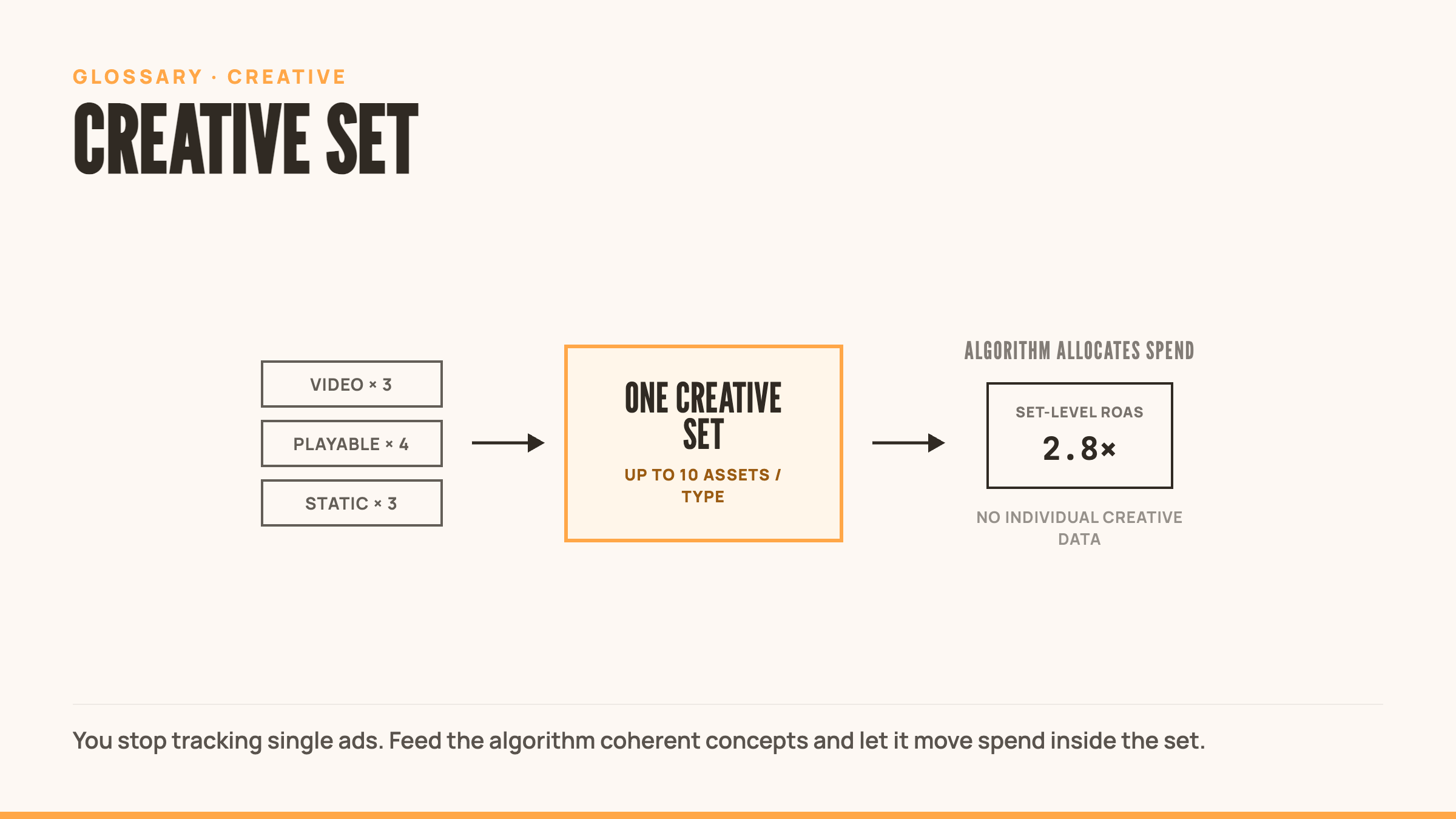
A creative set is AppLovin’s batched approach to ad management where you upload multiple ad types and sizes as one grouped unit. The algorithm optimizes within the set and aggregates performance data at the set level. No individual creative tracking. No manual optimization. Just algorithmic performance allocation across your assets.
Quick Definition
A creative set is AppLovin‘s batched approach to ad management, similar in spirit to Meta’s Advantage+ Creative, where you upload multiple ad types and sizes as one grouped unit. The algorithm optimizes within the set and aggregates performance data at the set level. No individual creative tracking. No manual optimization. Just algorithmic performance allocation across your assets.
What is a Creative Set
Creative sets replace the old model of tracking individual ad performance. Instead of managing ads one by one, you group up to 10 assets per type into a single creative set, and AppLovin‘s algorithm handles distribution and optimization.
This mirrors Meta‘s Advantage+ Creative approach. You supply the assets. The algorithm decides what runs where. Performance data rolls up to the set level, not the individual creative.
Three new attributes replace the old ad_id system: creative_type, creative_set_name, and placement_type. That’s what you track now. Forget individual creative IDs.
The shift kills manual optimization. No more babysitting which creative gets budget. The algorithm moves spend to what’s working based on signals you can’t see. Your job is feeding it smart asset combinations and refreshing sets before creative fatigue kills them.
How Creative Sets Work
You upload assets in batches. Each set can contain up to 10 assets per type. Video ads, playable ads, static images. All grouped under one creative set name.
AppLovin‘s algorithm tests combinations across placements and allocates budget based on performance. High-performing assets get more spend. Weak performers get less. All happens automatically.
Performance reporting aggregates at the set level. You see how the creative set performs as a unit, not how individual creatives perform. This makes attribution cleaner but kills granular creative-level insights.
The algorithm optimizes for engagement and conversion signals across placements. It’s exploratory by design. Feed it diverse assets and let it find the pockets of performance you’d miss manually.
Creative Set Structure
Each creative set groups assets by type:
Video Ads
- Up to 10 video variations per set
- 15-30 second gameplay clips
- Vertical, square, and landscape formats
- Algorithm rotates based on placement performance
Playable Ads
- Up to 10 playable variations per set
- Interactive gameplay demos
- Best-performing format in AppLovin ecosystem
- High engagement drives algorithmic preference
Static Images
- Up to 10 image variations per set
- Banner ads, end cards, display creatives
- Lower priority than video/playables
- Fills inventory where interactive formats can’t
Naming Convention Each set requires a creative_set_name. Use clear, descriptive names that indicate concept or theme. “puzzle_tutorial_v1” beats “test_batch_3.” You’ll thank yourself when reviewing performance data.
Creative Set Best Practices
Group by concept, not format Each set should represent 2-3 ad concepts with variations. Don’t mix unrelated ideas. The algorithm performs better when assets share thematic coherence.
Refresh every 2-3 weeks Creative fatigue still kills performance. The algorithm can’t save you from users who are sick of seeing the same creative. Ship new sets before performance drops.
New ads require new creative sets You can’t add individual creatives to existing sets. Want to test a new ad? Create a new creative set. This forces structure but kills flexibility.
Prioritize video and playable formats These yield the best results in AppLovin’s ecosystem. Static images fill gaps but won’t carry performance. Invest production capacity in interactive formats.
Test bold concepts, not safe variations Since you can’t optimize individual creatives, safe iterations won’t teach you anything. Each set should explore different hooks, gameplay mechanics, or messaging angles.
Watch set-level performance, not creative-level You won’t get individual creative data. Track ROAS, CPI, and conversion metrics at the creative set level. Kill underperforming sets fast. Scale winners until fatigue hits.
Migration from Individual Ads
AppLovin is phasing out individual ad tracking in favor of creative sets. If you’re used to managing ads one by one, this changes your workflow.
What you lose:
- Individual creative performance data
- Ability to pause or boost specific creatives
- Granular creative-level attribution
- Manual budget allocation per creative
What you gain:
- Algorithmic optimization across placements
- Cleaner reporting at the set level
- Automated budget allocation to top performers
- Less time babysitting campaign settings
The trade-off is control for efficiency. You give up manual levers in exchange for algorithmic exploration. Works best when you trust the system and feed it volume.
Common Mistakes
Creating sets with unrelated concepts Mixing puzzle gameplay with action sequences in one set confuses the algorithm. Group thematically similar assets.
Not refreshing sets frequently enough Creative fatigue still kills performance. The algorithm can’t resurrect dead creative concepts. Ship new sets every 2-3 weeks.
Trying to optimize individual creatives You can’t. The data doesn’t exist. Focus on set-level performance and concept-level learnings.
Adding new ads to existing sets Not possible. New creatives require new creative sets. Plan your batches accordingly.
Ignoring video and playable formats Static images won’t carry performance. Invest in interactive formats that drive engagement.
Treating creative sets like individual ads The mindset shift matters. You’re managing batches now, not individual assets. Think in concepts, not creatives.
Related Terms
- Creative Pack – Collection of ad assets across formats; creative sets are AppLovin’s specific implementation
- A/B Testing – Creative sets kill traditional A/B testing; performance aggregates at set level
- Creative Strategy – How you organize concepts into creative sets determines algorithmic performance
- Creative Fatigue – Still applies; refresh sets every 2-3 weeks
- Playable Ads – Best-performing format within creative sets
- Video Ads – Second-best format for creative set performance
- Ad Network – AppLovin pioneered creative sets; other networks following suit
External Resources
- Axon Support: Creating Creative Sets in Axon Ad Manager
- Segwise: AppLovin Creative Sets Complete Guide
Frequently Asked Questions
How many assets should I include per creative set?
Start with 5-7 assets per type. The max is 10 per type. More variety gives the algorithm room to optimize, but too many unrelated concepts dilute performance, so group thematically similar assets.
Can I see which individual creative is performing best?
No. Creative sets aggregate performance data at the set level, so you see how the batch performs, not individual creatives. This simplifies reporting but kills granular insights, meaning you track concepts, not individual assets.
How often should I create new creative sets?
Every 2-3 weeks. Creative fatigue hits regardless of algorithmic optimization. Monitor set-level ROAS and CPI, and when performance drops 20-30%, ship a new set with fresh concepts.
Can I edit or add creatives to an existing set?
No. Creative sets are locked once created. To test a new ad, you have to create a new creative set, which forces batched production but removes the ability to iterate on a live set.