

glossary
AppLovin Ad Specs
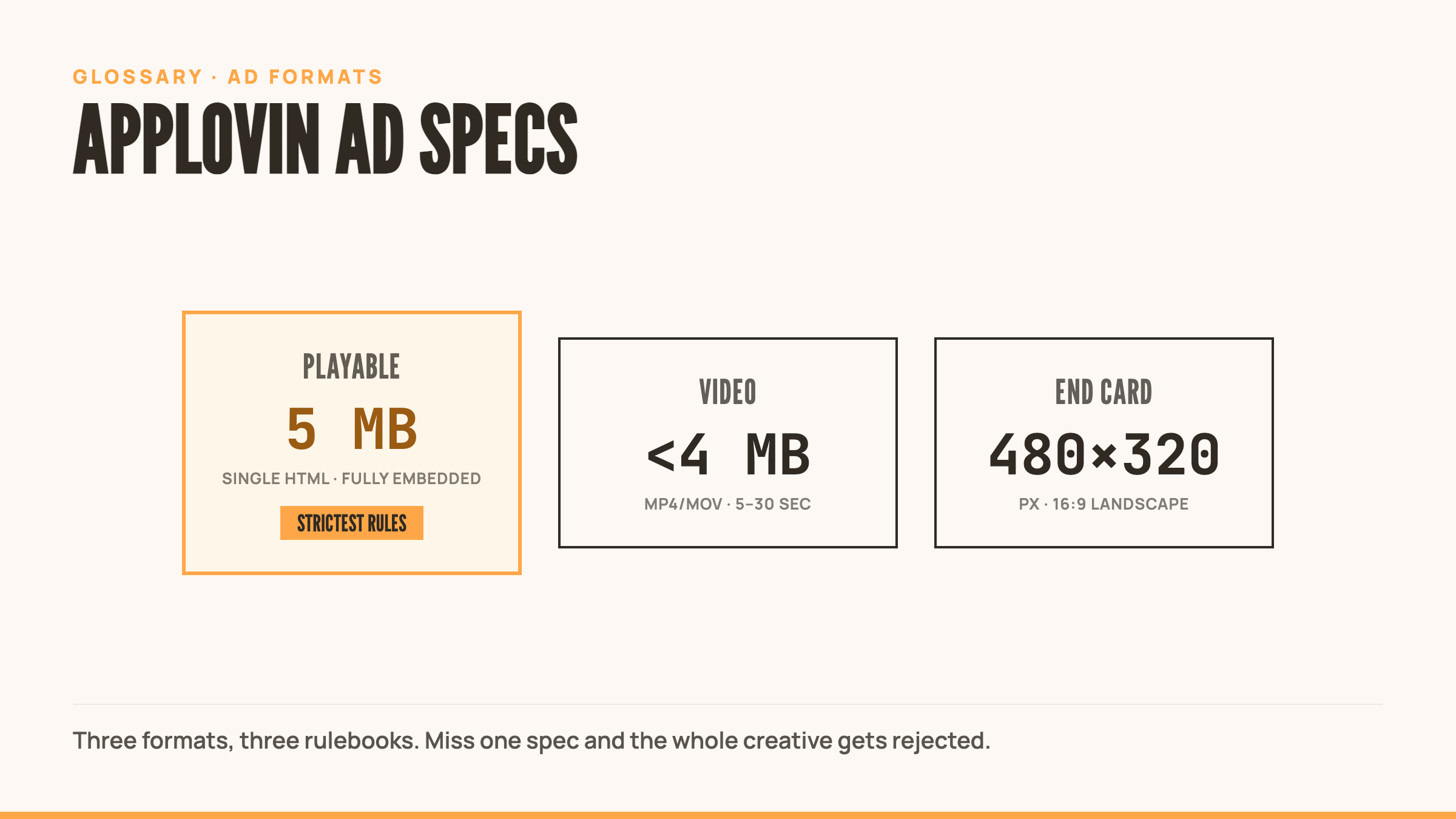
AppLovin’s technical specifications for playable ads, video ads, and end cards that run across their network. Get the specs wrong and your creative gets rejected. Get them right and your ads reach one of mobile gaming’s largest user acquisition networks.
Quick Definition
AppLovin creative specs cover the technical requirements for playable ads, video ads, and end cards that run across their network. Get them wrong and your creative gets rejected. Get them right and your ads reach one of mobile gaming’s largest user acquisition networks.
What are AppLovin Ad Specs?
AppLovin’s ad specs define the technical boundaries for creatives running on their ad network.
File sizes. Aspect ratios. Formats. Orientation support. Sound requirements. Every creative you upload needs to meet these requirements or it won’t run. No exceptions.
These aren’t arbitrary limits. They’re built around network performance, device compatibility, and user experience. A 50 MB playable might work beautifully on your test device. It won’t load fast enough on a mid-tier Android phone in a market with spotty connectivity. AppLovin caps it at 5 MB to ensure delivery across the AppLovin MAX mediation platform.
The specs vary by format. Playable ads face the strictest requirements because they’re the most complex. Video ads get more flexibility on file size but strict requirements on duration. End cards balance static image constraints with aspect ratio precision.
Understanding these specs matters because rejection costs time. Upload a playable with external network calls and you’ll wait days for feedback, then days more for fixes and resubmission. Build to spec from the start and you ship faster.
Playable Ad Specifications
| Specification | Requirement | |————–|————-| | File Size | 5 MB maximum | | Format | Single HTML file with all resources embedded (base64 or base122) | | External Resources | Prohibited (no CDN calls, no external scripts) | | Orientation | Must support both landscape and portrait | | Timer | Starts only after first user interaction | | Sound | Muted by default until user engagement | | Technical Requirements | MRAID v2.0 support required (IAB MRAID spec) | | Click-Through | Use mraid.open() for install CTA | | Network Calls | Not allowed during playable experience |
Critical Playable Requirements
Everything must be embedded. No external font files, no CDN-hosted libraries, no image URLs. If it’s not in the HTML file, it doesn’t exist.
Orientation flexibility is mandatory. Your playable must render correctly in both landscape and portrait. Users rotate their devices. Your creative needs to handle it.
Timer accuracy matters. AppLovin’s system won’t start the engagement clock until the user’s first interaction. Build your analytics to match this behavior or your engagement metrics will be wrong.
Sound defaults to muted. Don’t assume audio plays. Design for sound-off experiences, then enhance with audio after user interaction according to AppLovin’s audio guidelines.
Video Ad Specifications
| Specification | Requirement | |————–|————-| | File Size | Under 2 MB optimal, under 4 MB recommended, 1 GB maximum upload | | Format | MP4, MOV | | Aspect Ratio | 9:16 (portrait), 16:9 (landscape) supported | | Duration | 5-30 seconds (standard), 20-30 seconds required (rewarded) | | Timeout | 10 seconds to retrieve video file |
Video Format Notes
Smaller is better. The 1 GB upload limit exists, but you should never approach it. Under 2 MB loads fast across all connection types. Under 4 MB is acceptable. Anything larger risks timeout failures.
Rewarded videos have different rules. Standard video ads can run 5-30 seconds. Rewarded video ads must hit 20-30 seconds because users expect substantial ad time in exchange for in-game rewards.
10-second retrieval is a hard limit. If AppLovin’s servers can’t fetch your video file within 10 seconds, the ad fails. This affects large files, slow CDNs, and unstable hosting.
End Card Specifications
| Format | Dimensions | Aspect Ratio | |——–|———–|————–| | Landscape | 480 x 320 px | 3:2 | | Portrait | 320 x 480 px | 9:16 (270 x 480 px minimum) |
End Card Requirements
Resolution is fixed. Unlike playables that scale, end cards render at specific pixel dimensions. Design at these exact sizes.
Portrait is the primary format. AppLovin’s current spec runs end cards at 9:16, with 270 x 480 px as the minimum and 320 x 480 px (up to 768 x 1024 px) accepted. Landscape end cards use a 3:2 canvas. Build to the exact pixel size rather than eyeballing the ratio, and check AppLovin’s live spec page before you ship, since dimensions shift.
Image Asset Specifications
| Specification | Requirement | |————–|————-| | Formats | GIF, JPEG, PNG | | File Size | 10 MB maximum per asset | | GIF Duration | 60 seconds maximum |
Testing & Validation
Before uploading to AppLovin:
Test file size. Compress your HTML file and verify it’s under 5 MB. Tools like gzip can help estimate real transfer size, but AppLovin measures uncompressed file size.
Validate all resources are embedded. Search your HTML for http:// and https://. If you find any, those are external calls that will cause rejection.
Test both orientations. Lock your device in portrait, load the playable, interact with it. Rotate to landscape and repeat. Both must work perfectly.
Verify MRAID implementation. Use mraid.open() for your install button. Test that it triggers correctly. Broken MRAID means broken conversion tracking.
Check audio behavior. Confirm sound is muted on load and only plays after user interaction. Auto-playing audio violates the spec.
Test on slow connections. Use Chrome DevTools to throttle to 3G speeds. Can your video load within 10 seconds? If not, compress more.
Common Rejection Reasons
External resource calls. You linked to Google Fonts, a CDN-hosted library, or external images. Embed everything.
File size over 5 MB. Your playable exceeded the limit. Compress images, minify code, remove unused assets.
Missing orientation support. Your playable works in landscape but breaks in portrait. Both must function.
Auto-playing audio. Sound started before user interaction. Mute by default.
Broken MRAID implementation. Your install button doesn’t use mraid.open() or it’s implemented incorrectly.
Video timeout. Your video file is too large or hosted on slow servers. AppLovin couldn’t retrieve it within 10 seconds.
Related Terms
External Resources
- AppLovin Creative Best Practices & Guidelines
- AppLovin ORTB Specification: Creative Types
- AppLovin Creative Specs and Guidelines
Frequently Asked Questions
What happens if my playable exceeds 5 MB?
AppLovin rejects the upload outright. Compress images, minify your JavaScript, remove unused code, and make sure every asset is optimized before you resubmit.
Can I use external JavaScript libraries in a playable?
Only if you embed them directly in the HTML file. AppLovin blocks CDN-hosted links. Download the library, minify it, and inline it.
What’s the difference between base64 and base122 encoding?
Both encode binary data as text you can embed in HTML. Base122 is more efficient and produces smaller files, which helps you stay under AppLovin’s 5 MB cap.
What exactly is MRAID and why does it matter for AppLovin specs?
MRAID (Mobile Rich Media Ad Interface Definitions) is the standard API for mobile ad interactions. AppLovin requires mraid.open() on your install CTA. Without it, the button doesn’t work.
Do AppLovin video ads need to support both orientations like playables?
No. Video ads specify their aspect ratio (16:9 or 9:16) and the player handles rendering. Still worth creating both orientations to maximize reach.